Instagram OSINT: how to research an account and its posts
How to research an Instagram account using open sources. Decode post dates from the shortcode, read the About this account panel, use the Meta Ad Library, work from tags, locations and comments, and avoid the shortcuts that alert the account holder.

· 7 min read
Instagram shows less to outsiders every year. Logged-out visitors see a handful of posts before a login wall, there is no public search API, and most third-party viewers are unreliable or unsafe. What remains is still useful if you know where the durable facts sit: the account ID, the post shortcode, the account history panel and the advertising records Meta is required to publish.
This guide goes through those in order of reliability.
Start with identifiers that do not change
An Instagram username can be changed in seconds. Two things stay fixed:
The account ID, a number assigned when the account is created. It survives every rename.
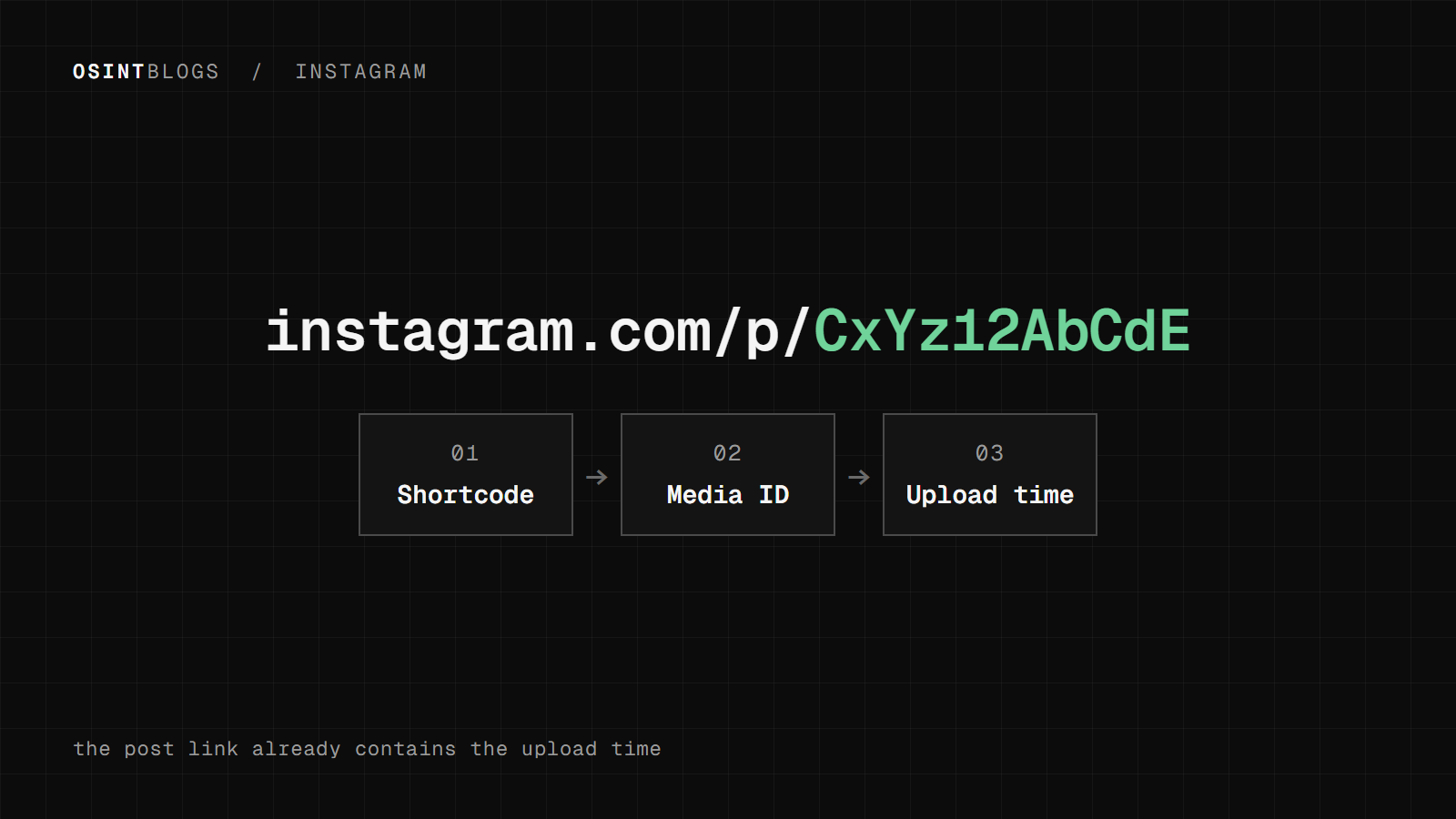
The post shortcode, the string after
/p/or/reel/in a post link, such asCxYz12AbCdE.
Record both at the start. If the subject renames the account next week, the ID is how you show that the new name is the same account. The ID appears in the page data of a profile when you are logged in, and in exports made by most collection tools.
Decode the post time from the shortcode
The shortcode is the post's numeric media ID written in a 64-character alphabet. That media ID holds the creation time in milliseconds, counted from an Instagram-specific starting point in August 2011.
from datetime import datetime, timezone

ALPHABET = "ABCDEFGHIJKLMNOPQRSTUVWXYZabcdefghijklmnopqrstuvwxyz0123456789-_"

def instagram_time(shortcode: str) -> datetime:
    media_id = 0
    for ch in shortcode[:11]:
        media_id = media_id * 64 + ALPHABET.index(ch)
    ms = (media_id >> 23) + 1314220021721
    return datetime.fromtimestamp(ms / 1000, tz=timezone.utc)

print(instagram_time("CxYz12AbCdE"))
The app shows a date, and sometimes only "5w". The shortcode gives the time to the second in UTC. Some older links to private posts have longer shortcodes; the first eleven characters are the part that matters.
As with every platform timestamp, this is when the post was uploaded. A photo taken years earlier gets the time it was posted. The format is also undocumented, so describe it in a report as the time encoded in the post ID.
Read the account history panel
On many profiles, the three-dot menu has an entry called About this account. It can show:
the date the account joined
the country the account is based in, as judged by Instagram
the number of former usernames, and sometimes the names
whether the account is running adverts
For attribution this is the most valuable screen on Instagram, because the account holder cannot edit it. A "local news" account that joined four months ago, has changed its username three times and is based on another continent has told you a great deal.
Limits: the panel is not shown for every account, the country is Instagram's inference and can be affected by where the account is managed from, and you need to be logged in to see it.
Check the Meta Ad Library
The Meta Ad Library is public and needs no login for basic searches. Search for the account or the linked Facebook Page and you get every advert currently running across Instagram and Facebook, with start dates and the versions being tested.
What it gives you that the profile does not:
The linked Facebook Page. Page transparency shows when the Page was created, earlier names and the countries of the people who manage it.
Landing pages. Adverts link to websites, and a domain opens a different line of research. See our guide to investigating a domain.
Extra detail in the EU and UK. For adverts shown there, the library keeps a longer history and shows reach and targeting, including who paid.
An account that looks like a personal blog but runs forty adverts to a shop is a business, and should be assessed as one.
Work from the profile outwards
Business and creator signals
Professional accounts show a category label under the name, such as "Clothing store" or "Public figure", and can show contact buttons. In the mobile app the buttons can reveal a business email address, a phone number and a street address. These are supplied by the owner, so they are claims to verify, but they are also leads into email and phone number research.
Tagged posts
The tagged tab shows posts by other people that tag the account. Subjects control their own grid carefully. They rarely clean up what friends, venues and photographers post about them. Tagged posts are often the best source for locations, associates and dates.
Locations
A post's location tag is chosen by the uploader from a list, and can be anywhere. Treat it as a claim. It becomes useful when the picture supports it, or when several people's posts place the subject at the same venue on the same evening.
Comments and captions
Comments name people. Look for first names, nicknames, birthday messages and replies from relatives. The earliest posts on an account are worth special attention, because people are less careful when an account is new and has twenty followers.
Followers and following
For an account with millions of followers, the list tells you little. For a small account, the first accounts it followed and the accounts that follow each other within a group can outline a family or friendship circle. Lists are only visible when logged in and are capped, so record what you could and could not see.
Photos
Run the profile picture and a few distinctive photos through reverse image search. Stolen photos are the fastest way to expose a fake profile. Our guide to verifying an image covers the method. Instagram removes camera metadata from uploads, so there is no GPS position to recover from the file.
Finding accounts and posts from outside
Instagram's own search is thin, and it ranks by popularity. Web search engines fill some gaps:
site:instagram.com "exact name or phrase"
site:instagram.com/p "phrase from a caption"
site:instagram.com "bio phrase" "city"
Coverage is partial and often out of date, which occasionally helps: a search result snippet may show an old bio or username that the profile no longer displays. Our Google dorks cheat sheet explains the operators.
For checking whether the same handle exists elsewhere, see username OSINT.
What to avoid
Other shortcuts with real costs:
Third-party story viewers and "private profile viewers". The second kind does not work at all. Many are fronts for adware or credential theft.
Following a private account under a false identity. It breaches Instagram's terms and, depending on your role and country, can breach professional rules or the law. Take advice before you consider it.
Mass collection with a logged-in account. Tools such as Instaloader work, but automated collection breaches the terms of use, gets accounts banned, and gathers personal data you then have to justify holding. Collect the specific posts you need.
Viewing stories from your personal account. The account holder sees a list of everyone who viewed a story. Use a dedicated research account that is honestly blank, not an impersonation.
Researchers at universities and non-profit organisations can apply for the Meta Content Library, which is the approved route to public Instagram data at scale.
Preserve what you find
Stories vanish after 24 hours, and posts are deleted when attention arrives. For anything that matters, record the link, the shortcode, the decoded time, the account ID and the username at the time, then capture and hash the page. Our guide to preserving web evidence gives the full procedure.
A short workflow
Record the username, account ID and profile link.
Screenshot the profile and the About this account panel.
Decode the dates of the first and most recent posts.
Search the Meta Ad Library for the account and its linked Page.
Review tagged posts, early posts and comments for names, places and dates.
Reverse search the profile picture and distinctive photos.
Check the handle on other platforms.
Write up which findings rest on platform records, such as the join date, and which rest on what the owner or others chose to post.
Frequently asked questions
Can I see who is behind an Instagram account?
Not directly. Instagram does not publish the owner's identity. You build a case from the account history panel, advertising records, linked websites, reused photos and usernames, and what other people post about the account.
How do I find the exact date and time of an Instagram post?
Decode the shortcode from the post link, as shown above. It gives the upload time in UTC to the second.
Can I view a private Instagram account?
No, and tools that claim to do so are scams. You can still research what is public about it: the name, bio, profile picture, tagged mentions by public accounts and the same handle on other platforms.
Does Instagram tell someone when I look at their profile?
Viewing a profile or a post does not notify the owner. Viewing a story does, and so do likes, follows and accidental taps. Use a separate research account and take care on a touchscreen.
Can I find an Instagram account from an email address or phone number?
Instagram's contact syncing can match numbers and addresses to accounts, but uploading someone's details to a platform to identify them raises data protection questions. A dedicated lookup that checks account existence without contacting the holder is the cleaner route.