Facebook OSINT: Pages, groups, profiles and Marketplace sellers
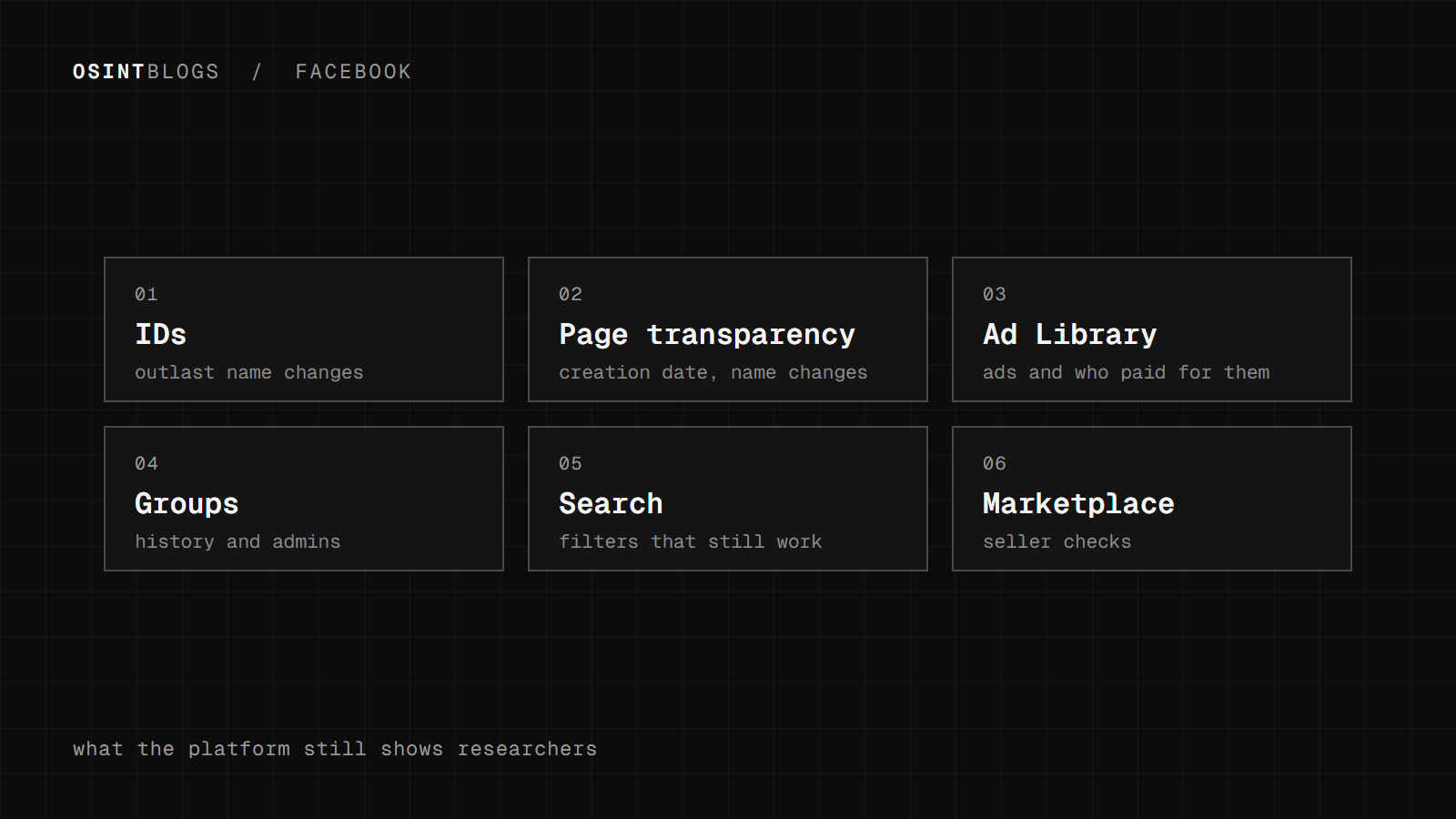
What Facebook still shows researchers. Page transparency for creation dates, name changes and admin countries, the Meta Ad Library, group history, profile IDs that outlast name changes, Marketplace seller checks, and the search filters that replaced Graph Search.

· 7 min read
Facebook was once the easiest platform to research. Graph Search let anyone ask for "photos of people who work at a company and live in a city", and a whole generation of tools was built on it. Meta shut that down in 2019, and has closed most public data access since.
What remains is narrower and still valuable, because Facebook holds things other platforms do not: long personal histories, local groups, small business Pages and a large second-hand marketplace. This guide covers the parts that still work.
IDs first
Every profile, Page and group has a numeric ID that survives changes of name and address.
A profile address may be
facebook.com/some.nameorfacebook.com/profile.php?id=100012345678901. The first form can be changed by the user. The number cannot.For profiles with a custom address, the ID appears in the page source and in links to their photos. Search the source for
userID.Pages and groups work the same way.
Record the ID with the name as displayed and the date. Names on Facebook change with marriage, with a change of mind and with intent to hide.
Most of what follows needs a logged-in account. Use a dedicated research account with privacy settings tightened, and be careful with clicks: friend requests, reactions and accidental likes are all visible to the subject, and Facebook suggests "people you may know" in both directions based on profile visits and contact uploads.
Page transparency
Every Page has a transparency section, reached from the About tab. It is filled in by Facebook, not by the Page's owner, and it is the best evidence on the platform about who runs a Page.
Field | Why it matters |
|---|---|
Page creation date | A "30-year-old family business" with a Page created last month |
Previous names | Pages are renamed and sold. A history of unrelated names shows a repurposed audience |
Merged Pages | Follower counts inherited from other Pages |
Countries of the people who manage it | A local community Page managed entirely from abroad |
Confirmed owner | For some Pages, a verified organisation name |
Adverts | Whether the Page is running adverts now, linking to the Ad Library |
A Page that was created years ago under a different name, in a different language, on an unrelated topic, and is managed from a country it never mentions, has told you what it is. This single screen settles a large share of "is this Page what it claims?" questions.
The Meta Ad Library
The Ad Library is public and searchable without logging in. It shows every advert currently running on Facebook and Instagram, by advertiser or keyword.
All adverts: creative, start date, platforms and variations.
Political and social issue adverts: kept for seven years, with spend ranges, reach, demographics and the "paid for by" disclaimer.
Adverts shown in the EU and UK: additional reach and targeting details, including who paid.
Uses: finding the websites a Page sends people to, seeing how long a campaign has run, spotting the same advert text across several Pages, and identifying the entity that paid. An API is available for the political and EU data after identity confirmation.
Groups
Groups are where much of Facebook's activity now happens. A group's About tab shows:
whether it is public or private, and visible or hidden
its creation date and name history
administrators and moderators, with their profiles
member count and recent posting rate
the rules, which describe what the group is for
In a public group, posts, comments and the member list are readable. In a private group, outsiders see only the About information.
Read the name history. Groups are built up under an appealing name, such as a town's buy-and-sell group, and then renamed to push something else to an existing membership. Look at the administrators' other groups, since one set of administrators running dozens of local groups in different regions is a network.
Joining a private group to observe it is a step beyond open-source research. Members and administrators see you join, many groups ask screening questions, and answering them falsely is deception. Whether that is justified depends on your role, your organisation's policy and the law. See our overview of whether OSINT is legal.
Profiles
What a profile shows depends entirely on the owner's settings, which vary widely.
Intro and About. Workplaces, education, places lived, relationship and family links. All self-declared.
Photos. Profile and cover photos are often public even on locked-down profiles, and each keeps its comments and reactions. Old profile pictures are a timeline of a face.
Friends list. Often hidden. When hidden, friends still show themselves through comments, reactions, tags and birthday posts.
Tagged content. What others post about the person is governed by the other person's privacy settings.
Reviews, check-ins and events. Evidence of places and dates.
Family. Relatives frequently have open profiles and post about the subject.
Memorialised accounts are marked as "Remembering" and frozen.
Photos uploaded to Facebook have their camera metadata removed, so location comes from what is visible. See our guide to geolocating a photo, and verifying an image for reverse search. Stolen profile photos are the commonest sign of a fake account.
Signs of a fake or purchased profile: a recent creation with few photos, friends mostly from another country, a name that does not match the address in the link, photos found elsewhere under another name, and activity limited to groups and Marketplace.
Search that still works
Facebook's search box takes plain keywords. After searching, the filters on the left do the work:
Posts: filter by date posted, by "posts from" a person, Page or group, and by tagged location.
People: filter by city, education and work.
Photos and videos: filter by who posted, where and when.
Pages, groups, events and Marketplace each have their own filters.
Results are limited by your account's relationship to the content and are never complete. Web search engines index public Pages, public groups and some public posts:
site:facebook.com "business name" "city"
site:facebook.com/groups "keyword"
site:facebook.com/people "full name"
See our Google dorks cheat sheet. Third-party tools that claimed to rebuild Graph Search by editing links stopped working years ago, and sites that still advertise it are best avoided.
Marketplace sellers
Marketplace fraud is common, and seller profiles carry a few checkable facts.
Signal | Reassuring | Concerning |
|---|---|---|
"Joined Facebook in" year | Many years ago | This year |
Seller ratings | Several, spread over time | None, or all in one week |
Other listings | A plausible mix, one area | Dozens of identical high-value items, many cities |
Profile | Real history, local friends | Empty, locked, or a mismatch between name and photos |
Photos of the item | Original, consistent background | Found elsewhere by reverse image search |
Price | Market rate | Far below it |
Payment | In person, or protected method | Bank transfer, gift cards, deposit to "hold" the item |
Reverse search the listing photos first. Scam listings reuse photos from genuine adverts in other cities and other countries. Then compare the seller's stated location with the item's background and with the rest of the profile.
Research access and its limits
CrowdTangle, the tool journalists used to track public Pages and groups, was closed in August 2024. Its replacement, the Meta Content Library, is open by application to academic and non-profit researchers and to some fact-checking organisations, not to the general public or to commercial users.
Automated scraping of Facebook breaches its terms, and Meta sues scraping companies. More to the point for most investigators, scraping while logged in gets the account disabled quickly. Work by hand, on the specific pages you need.
Preserve as you go
Facebook content is edited and deleted constantly, and public archives capture it poorly because of the login wall. Capture pages yourself, from your browser: the post with its link and timestamp, the profile or Page it came from, and the transparency section. Hover over a post's date to get the full date and time, and note your own time zone. Our guide to preserving web evidence covers the method.
A workflow for a Page
Record the Page name, address and numeric ID.
Capture the transparency section: creation date, name history, manager countries.
Search the Ad Library for current and past adverts. Note landing pages.
Read the oldest posts and compare topic and language with the newest.
Check listed contact details and website. See how to check if a company is legitimate.
Look for the same name on other platforms. See username OSINT.
Write up platform-recorded facts separately from what the Page says about itself.
Frequently asked questions
Can I see who runs a Facebook Page?
Not by name, in most cases. Page transparency shows the countries of the people who manage it, the creation date and previous names, and sometimes a confirmed owning organisation.
Does Facebook tell people who viewed their profile?
No. Profile views are not shown to users. Story views are, and so are reactions, comments, friend requests and messages. Visits may also influence friend suggestions.
Does Facebook Graph Search still work?
No. It was withdrawn in 2019. The remaining options are keyword search with filters, and web search engines for public content.
How do I find a Facebook profile ID?
If the address does not show a number, view the page source and search for userID, or look at the number in links to the profile's photos.
How can I tell if a Marketplace seller is genuine?
Check the year the account joined, its ratings and other listings, reverse search the item photos, and avoid any seller who wants payment by transfer or a deposit before you have seen the item.