TikTok OSINT: how to date, trace and verify a TikTok video
A working method for TikTok research. Decode the upload time from the video ID, expand short links safely, follow sounds, stitches and watermarks back to the first upload, extract keyframes for reverse search, and know what the official tools allow.

· 7 min read
Most TikTok videos that reach you through a news feed or a group chat are copies. Someone saved the original, and someone else uploaded it again with a new caption. The work of TikTok research is mostly getting from the copy in front of you to the first upload, and then deciding whether the first upload shows what the caption says.
This guide covers the checks that answer three questions: when was this uploaded, who uploaded it first, and is the account what it appears to be.
What a TikTok link contains
A full video link looks like this:
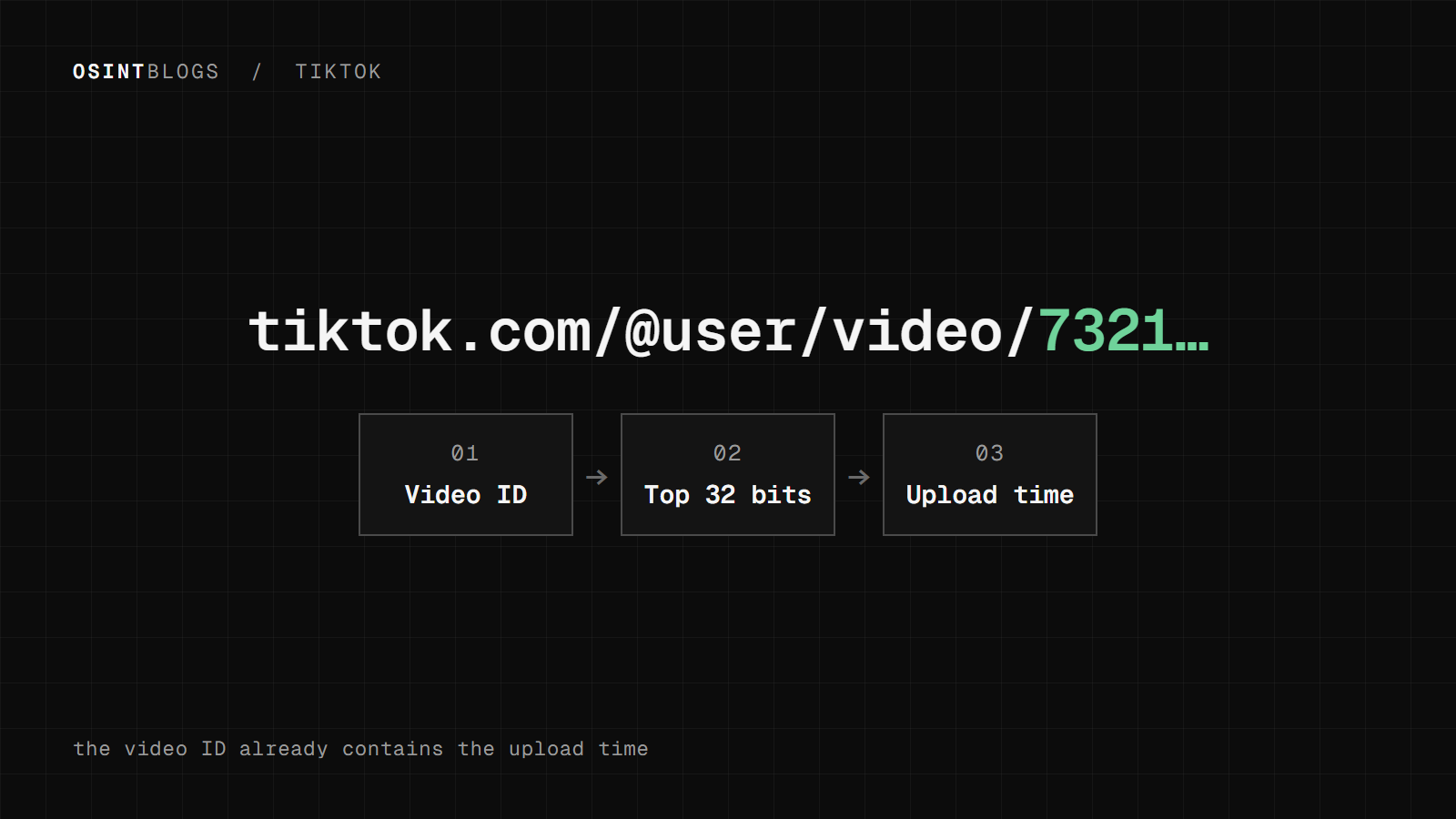
https://www.tiktok.com/@username/video/7301234567890123456Two parts matter. The handle after @ can be changed by the owner at any time. The 19-digit number is the video ID, which never changes and which carries the upload time inside it.
Links shared from the app are usually short links on vm.tiktok.com or vt.tiktok.com. Expand them before you do anything else:
curl -Ls -o /dev/null -w '%{url_effective}\n' "https://vm.tiktok.com/ZMabcdefg/"Read the upload time from the video ID
TikTok video IDs are 64-bit numbers. The top 32 bits are the upload time as a Unix timestamp, in seconds, in UTC. Shifting the ID right by 32 bits gives you that time.
from datetime import datetime, timezone

def tiktok_time(video_id: int) -> datetime:
    return datetime.fromtimestamp(video_id >> 32, tz=timezone.utc)

print(tiktok_time(7301234567890123456))
This matters because the app shows dates loosely, as "3d ago" or a day and month, and in the viewer's own time zone. The ID gives the second of upload in UTC, and the uploader cannot edit it.
Three cautions:
It is the upload time, not the filming time. A video filmed in 2019 and uploaded yesterday has yesterday's ID.
Scheduled and drafted posts take the time they were sent to TikTok's servers, which may be earlier than when they became public.
The pattern is observed, not documented. TikTok does not publish the ID format. It has held for years across millions of videos, but state it in a report as "the timestamp encoded in the video ID", and corroborate where you can with the earliest comment or an archive copy.
Many sound and account IDs decode the same way. Older accounts do not, so treat a decoded account date as a lead to confirm.
Find the first upload
Sort the copies you find by decoded upload time. The earliest is your candidate original, and these features help you find copies you have not seen yet.
Sounds
Every video has a sound page listing other videos that use the same audio. When someone uploads a clip with its own audio, TikTok labels it "original sound" followed by the uploader's name. If the video you are checking uses an original sound credited to a different account, that account very likely posted the footage earlier. Open the sound page and look for the first video listed as the original.
Stitches and duets
A stitch plays up to five seconds of another video before the new footage. A duet plays alongside it. Both link to the source video in the caption. Follow that link and decode its ID. People often share the stitch as if it were the event itself.
Watermarks
A video saved from the TikTok app carries a moving watermark with the handle of the account it was saved from. When a TikTok clip turns up on X, Telegram or YouTube, that handle is the first thing to read. A clip with two different watermarks has been saved and re-uploaded at least twice. Search for each handle. Remember that handles change, so a watermark handle that now leads nowhere may still appear in archives or search results.
Captions and hashtags
Re-uploaders often copy the caption. Search a distinctive phrase from it in quotation marks on TikTok and on a web search engine with site:tiktok.com.
Search outside TikTok with keyframes
Footage that is new to TikTok may be years old elsewhere. To check, pull still frames and run them through reverse image search.
# Download the video with its metadata (yt-dlp supports TikTok links)
yt-dlp --write-info-json -o "%(id)s.%(ext)s" "https://www.tiktok.com/@username/video/7301234567890123456"

# Extract the keyframes
ffmpeg -i 7301234567890123456.mp4 -vf "select='eq(pict_type,I)'" -vsync vfr frame_%03d.jpg
Choose frames with fixed features such as buildings, signs and skylines. Crop out captions, stickers and the watermark, because search engines match on those and return other TikTok copies. Run each frame through more than one engine. Our guide to verifying an image covers which engine suits which kind of picture.
Do not expect camera metadata. TikTok re-encodes every upload, so the file you download has no device details, no GPS position and no original recording date.
Read the account
Once you have a candidate original, look at who posted it.
Signal | What it supports | Caution |
|---|---|---|
Earlier videos | Whether the same places, people and voice recur | Accounts are bought and repurposed |
First video's decoded date | How long the account has been posting | Old videos can be deleted or hidden |
Bio link | A website or other profiles to cross-check | Anyone can link to anything |
Language, signs, plugs, road markings | Country or region | One video filmed on a trip proves little |
Comment replies from the uploader | Whether they claim to have filmed it | Claims need checking like any other |
Follower and like counts | Reach | Both can be bought |
An account that posts one kind of content from one town for two years, and then posts a video of an event in that town, is a stronger source than an account whose feed is a run of unrelated viral clips.
For the wider question of whether a handle belongs to the same person on other platforms, see our guide to username OSINT.
Official tools worth knowing
oEmbed.
https://www.tiktok.com/oembed?url=followed by a video link returns the author name, caption and thumbnail as JSON, without a login. It is handy for recording what a post said at a given moment.Creative Center. A public site for advertisers that shows trending hashtags, sounds and videos by country and period. Use it to check whether a trend existed before an event that supposedly started it.
Commercial Content Library. A searchable record of adverts and other paid content shown in Europe, with dates and targeting details.
Research API. Access is by application and is aimed at academic and non-profit researchers. Approval takes time, so it suits projects and not breaking news.
Preserve before it disappears
TikTok videos are deleted often, and accounts are banned without notice. As soon as a video matters:
Record the full link without tracking parameters, the video ID and the decoded time.
Save the video file and the
info.jsonthatyt-dlpwrites.Take a screenshot showing the caption, the handle and the counts.
Ask a public archive to save the page, knowing it may capture only part of it.
Hash the files and log them.
Our guide to preserving web evidence explains each step.
A worked example
A video of a flooded high street is shared on X with the claim that it was filmed this morning.
The clip has a TikTok watermark with a handle. Searching the handle finds the account and the video.
The video ID decodes to a time fourteen months ago. The claim that it was filmed this morning is false at this point, whatever else turns out to be true.
The sound is labelled as the original sound of a third account. That account's own video decodes to two hours earlier than the first one, and its earlier videos show the same street in dry weather.
A keyframe showing a shop sign matches street-level imagery for a town that had reported flooding on the decoded date.
The finding you can write down: the footage was first uploaded to TikTok on a stated date by a stated account, it is consistent with flooding reported in that town on that date, and it does not show this morning's event.
Frequently asked questions
How do I find out exactly when a TikTok video was posted?
Take the 19-digit number from the video link and shift it right by 32 bits. The result is the upload time as a Unix timestamp in UTC. The Python snippet above does this.
Can I see who viewed or shared a TikTok video?
No. Open sources do not show viewers. Share links can identify the sharer to TikTok and sometimes to the recipient, which is why you should strip tracking parameters.
Can I find where a TikTok video was filmed?
Only from what is visible and audible: signs, landmarks, language, weather. TikTok removes location metadata from the file. A location tag on the post is chosen by the uploader and may be wrong.
Is it legal to download TikTok videos for research?
Saving a public video as evidence for research or journalism is common practice, but copyright, data protection law and TikTok's terms still apply. Keep what you need, store it securely and do not republish other people's footage without a legal basis. See our overview of whether OSINT is legal.
Can I recover a deleted TikTok video?
Sometimes. Check public web archives, search for re-uploads using the caption and keyframes, and look for stitches and duets, which keep a few seconds of the original.