Telegram OSINT: researching channels, groups and accounts safely
How to research Telegram with open sources. Read public channels without an account, use message IDs to find creation dates and deletions, follow forwards to the original source, export chats properly, and avoid exposing yourself or relying on leaked-data bots.

· 7 min read
Telegram is where a great deal of first-hand material appears before it reaches any other platform: conflict footage, fraud adverts, leaked documents, extremist organising and ordinary local news. It is also unusually open. Public channels can be read in a browser with no account, messages are numbered in sequence, and forwarded posts point back to where they came from.
This guide covers what you can establish from those features, and how to do it without telling the people you are researching that you are there.
How Telegram is organised
Type | What it is | What outsiders can see |
|---|---|---|
Channel | One-way broadcast from the owners | All posts, if public. Not the subscriber list |
Group | Many-to-many chat, up to 200,000 members | Messages and often the member list, once joined |
User | A personal account | Name, username, bio and photo, subject to privacy settings |
Bot | An automated account | Name, description and whatever it replies |
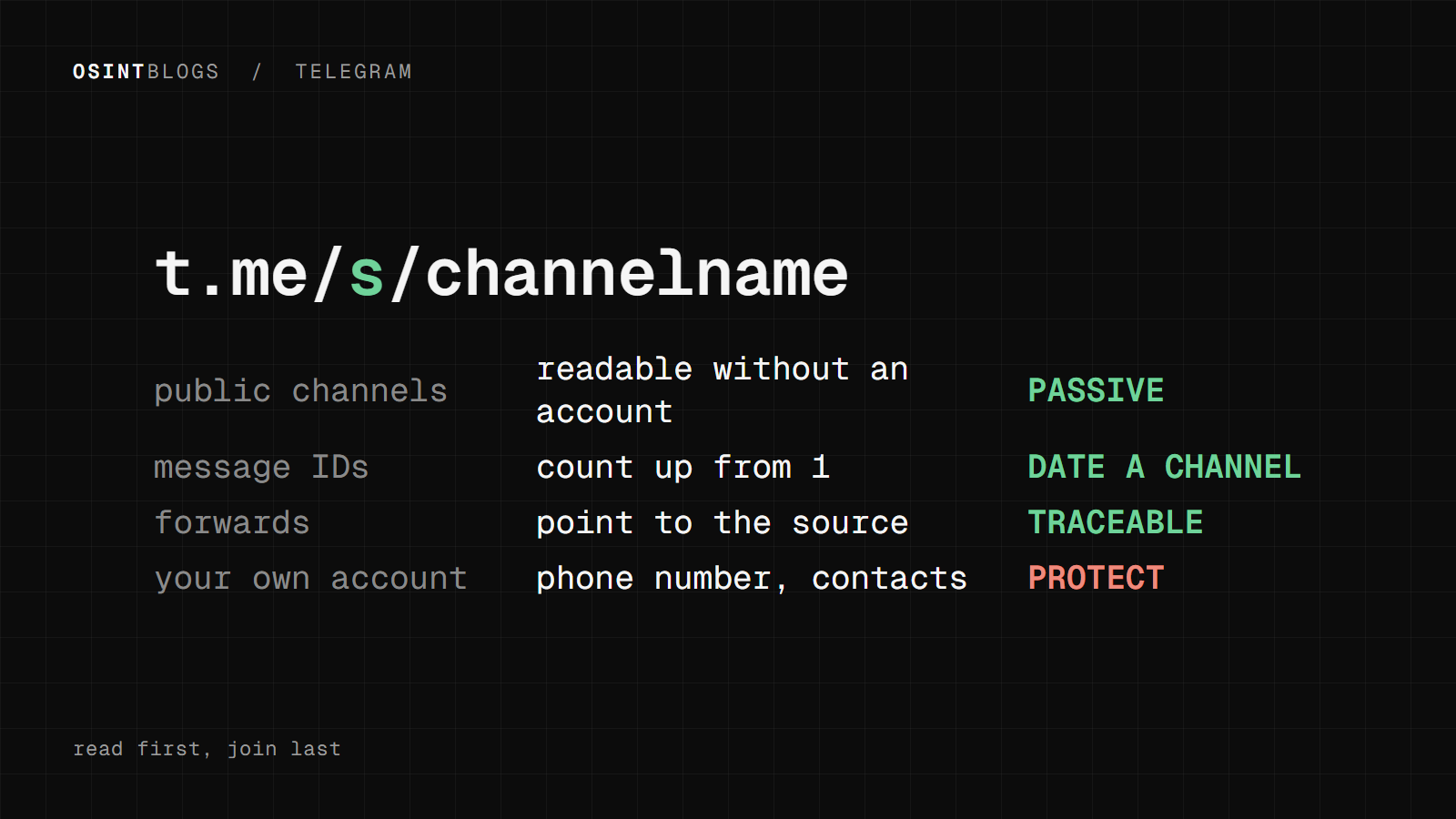
Public channels and groups have a username and a link such as t.me/examplechannel. Private ones are reached by invitation links beginning t.me/+.
Every account, channel and group also has a numeric ID that never changes. Usernames can be changed, dropped, and even bought and sold, so the numeric ID is the one to record. Telegram apps do not display it by default. Chat exports and most research tools do.
Read a public channel without an account
Add /s/ to a public channel's link and it opens as a web page:
https://t.me/s/examplechannel
https://t.me/s/examplechannel?before=1200
https://t.me/s/examplechannel?q=keyword
https://t.me/examplechannel/1187?embed=1
The first shows the latest posts. The second pages backwards from message 1200. The third searches within the channel. The fourth shows a single post.
This is the safest way to look at a channel. You are not logged in, you do not join, and the channel's owners learn nothing about you beyond a view count that goes up by one. Some channels turn the preview off, and it does not work for groups.
What message IDs tell you
Posts in a channel are numbered 1, 2, 3 and upwards. That gives you three checks.
Creation date. Message 1 is normally the automatic "Channel created" notice. Open
t.me/examplechannel/1, or the nearest low number that exists, to see when the channel started.Deletions. Gaps in the numbering mean messages were deleted, or were part of an album, where each photo takes a number. A channel with posts 1 to 40, then nothing until 900, has had its history removed.
Activity. The difference between two message numbers over a known period is the number of posts made, including deleted ones.
A channel that presents itself as a long-running news source, but whose first surviving post is last month and whose numbering starts in the thousands, was probably used for something else before.
Posts also show an "edited" label. Telegram does not show the earlier text, so capture posts that matter as soon as you see them.
Follow forwards to the source
When a post is forwarded, Telegram adds a "Forwarded from" line naming the original channel, and usually links to the original post. This is the most useful attribution feature on the platform.
Find the origin of footage. Follow the forward chain until you reach a post with no forward line. That is the earliest copy on Telegram that the chain knows about. Compare its timestamp with copies elsewhere.
Map a network. Record which channels forward from which. Channels that repeatedly forward one another within minutes are often run together. Twenty channels all forwarding from one source tells you where the material originates.
Notice missing forwards. Channels that download and re-upload other people's footage, with no forward line and a new watermark, are hiding the source. Reverse image search on keyframes may recover it. See our guide to verifying an image.
Forwards from personal accounts show only a name without a link when the user's privacy settings hide it.
Find channels and groups
Telegram's built-in search matches channel names and usernames and is poor at finding content. Use it alongside:
Web search.
site:t.me "phrase"andsite:t.me/s "phrase"find indexed public posts. See our Google dorks cheat sheet.Channel directories. TGStat and Telemetr index public channels with subscriber history, post counts, mentions and forwarding statistics. Their subscriber graphs are a quick way to spot bought audiences, which show up as vertical jumps.
Links in known channels. Descriptions and pinned posts list sister channels, backup channels, chat groups and contact accounts.
Other platforms. Search for
t.me/links on X, forums and websites connected to the subject.
Researching an account
A user profile can show a display name, username, bio, profile photos and, rarely, a phone number. Each is controlled by privacy settings.
Profile photos. Telegram keeps earlier profile photos unless the user removes them. Swipe through them and run them through reverse image search.
Username. Check it on other platforms. See username OSINT.
Group messages. In a public group you can search by sender to read everything an account has posted there.
Account age. Numeric IDs were issued roughly in order, so a higher ID usually means a newer account. Tools that turn an ID into a creation month are estimates based on known examples. Use them as a rough indication only.
Phone numbers. By default only a user's contacts can see their number. Adding a number to your own contacts shows whether a Telegram account is linked to it, depending on that user's settings. This reveals nothing about anyone who has set "who can find me by my number" to their contacts only. See phone number OSINT.
Export instead of screenshotting
Telegram Desktop has an export function in the menu of any chat or channel. Choose the JSON format. The export contains every message with its ID, timestamp in UTC, sender ID, forward source, edit time and attached files.
This is better evidence than screenshots and far quicker to analyse. With the JSON file you can count posts by hour, list every channel forwarded from, and extract every link in a few lines of code.
For continuous collection, the official API is open to anyone who registers an application, and libraries such as Telethon use it. Automated collection from groups gathers personal data about many people who are not your subject, so limit it to what the research needs. Our overview of whether OSINT is legal explains the data protection questions.
Media behaves in two ways. Photos and videos sent normally are compressed and have their metadata removed. Anything sent "as a file" arrives unchanged, with metadata intact, so documents and uncompressed images from Telegram are worth running through a metadata tool.
Protect your own account
Reading a channel through the web preview exposes nothing. Everything else needs thought.
Use a separate account on a number that is not your personal or work phone. Set the phone number to visible to nobody, and findable by number to contacts only.
Do not sync contacts on the research account.
Joining is visible. Group members can see you in the member list, and many groups announce new arrivals. Channel owners can see their subscribers. Prefer the preview, and join only when you must.
Give the account a blank profile. A plain name and no photo is honest and unremarkable. Pretending to be a real person or building a false persona to gain entry to a private group is a different activity, with legal and ethical rules that depend on your role.
Do not click. Links in hostile channels can lead to IP-logging pages. Open them in an isolated browser or a sandbox service.
Never forward from the research account to your personal one.
A worked example
A video of an explosion is spreading, credited to "Telegram".
A web search for a phrase in the caption with
site:t.mefinds a large channel that posted it.That post carries a "Forwarded from" line pointing to a smaller regional channel.
The regional channel's post has no forward line and is timestamped eleven minutes before any other copy found.
The regional channel's message 1 is dated three years ago, the numbering has no large gaps, and its earlier posts consistently cover one district.
The channel is exported to JSON, hashed and logged.
The finding: the earliest known copy was posted by the regional channel at a stated time in UTC. That channel has a three-year record of local coverage. Location and date of the footage itself still need checking against what is visible in it.
Frequently asked questions
Can I read a Telegram channel without an account?
Yes, if it is public and has not turned off previews. Put /s/ after t.me in the link.
Can channel owners see that I viewed their posts?
They see a total view count, not who viewed. If you subscribe to a channel, the owners can see your account in the subscriber list.
Can I find someone's phone number from their Telegram account?
Only if they have chosen to show it, which is rare. There is no legitimate open-source method beyond that.
How do I find out when a Telegram channel was created?
Open message number 1, which is usually the creation notice with its date. If early messages are deleted, channel directories often record when they first indexed the channel.
Is Telegram anonymous?
Less than its reputation suggests. Accounts need a phone number, and since 2024 Telegram's policy has been to disclose phone numbers and IP addresses of suspects to authorities on valid legal requests. That route is for law enforcement, not open-source researchers.