How to find lookalike domains and investigate brand impersonation
A workflow for finding domains that imitate yours. Generate and check variants with dnstwist, watch certificate transparency logs, triage by age, mail records and content, link sites into campaigns through shared infrastructure, and report them to the right place.

· 7 min read
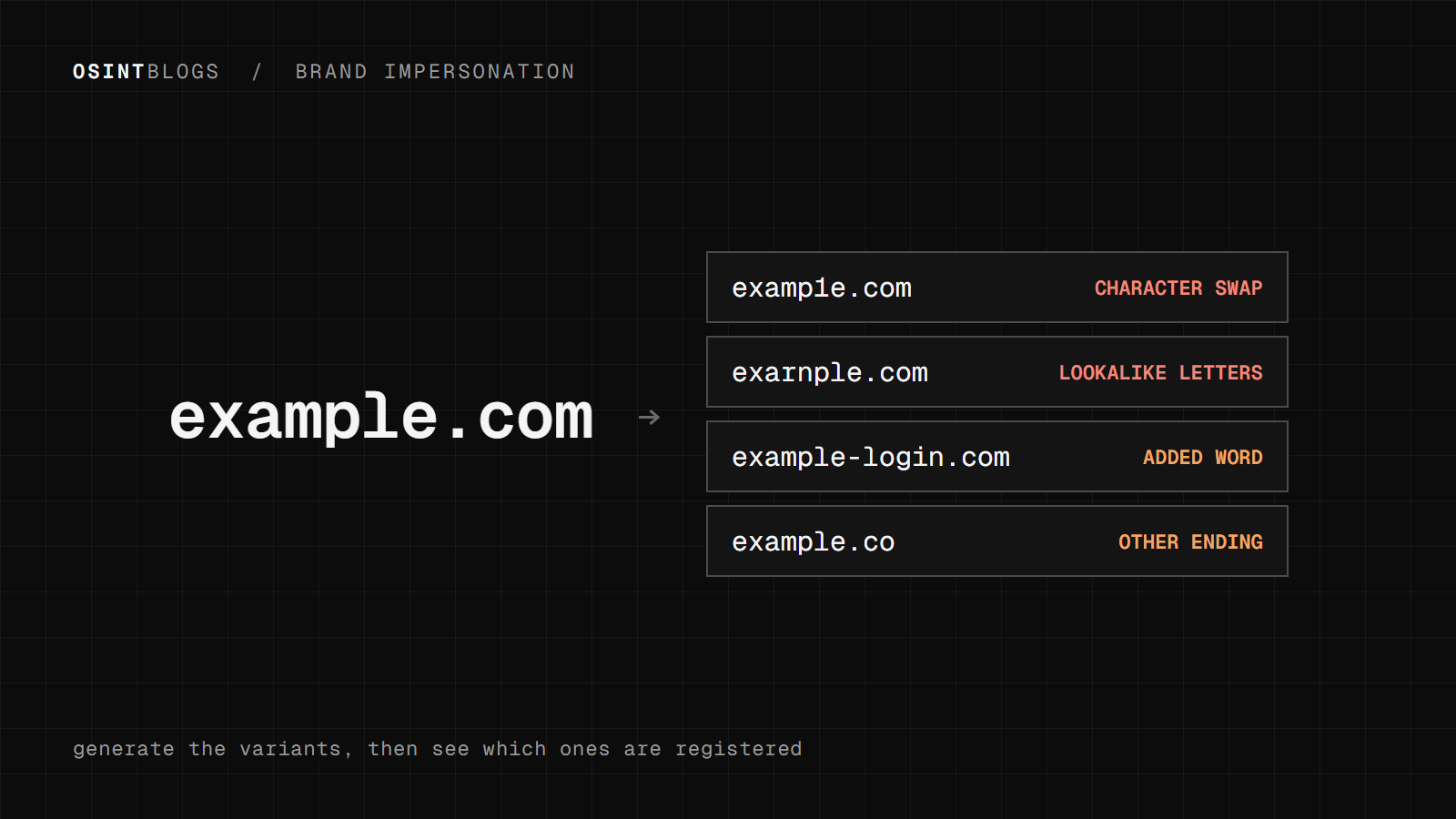
A lookalike domain is one registered to be mistaken for someone else's. examp1e.com for example.com, example-login.com, example.co and so on. They are used for phishing pages, fake shops, invoice fraud by email, and occasionally just parked in the hope of selling them back.
Finding them is mostly mechanical. The skilled part is deciding which matter, working out which belong to the same operator, and getting them taken down. This guide covers all four stages.
The forms a lookalike takes
Technique | Example for example.com | Notes |
|---|---|---|
Character swap or omission | exmaple.com, exampl.com | Classic typosquatting |
Lookalike characters | examp1e.com, exarnple.com | "rn" for "m", "1" for "l" |
Homoglyphs | exаmple.com with a Cyrillic "а" | Stored as a name starting |
Different ending | example.co, example.shop | Hundreds of endings exist |
Added word | example-support.com, secure-example.com | The commonest form in phishing |
Subdomain trick | example.com.account-verify.net | The real domain is the last part |
Hyphenation | ex-ample.com | Cheap and easily missed |
Tools find the first four well. The added-word and subdomain forms have endless variations, and need a different method.
Stage 1: generate and check variants with dnstwist
dnstwist is an open-source tool that produces thousands of permutations of a domain and checks which are registered.
pip install "dnstwist[full]"

# Variants that resolve, as a table
dnstwist --registered example.com

# Add mail server checks and save as CSV
dnstwist --registered --mxcheck --format csv example.com > variants.csv

# Compare each live site's page with the real one
dnstwist --registered --lsh --banners example.com
What the options do:
--registeredshows only variants that have DNS records, which cuts thousands of candidates to a short list.--mxchecktests whether the variant's mail server will accept mail for it, a sign it could be used to intercept misdirected email.--lshfetches each site and scores how similar its HTML is to yours. A high score on an unrelated domain is a copied page.--tldwith a word list checks your name under many more endings.
The tool makes DNS queries and, with --lsh or --banners, web requests to the sites it finds. Run it from a network you are content for the operators to see.
Stage 2: watch certificate transparency for added-word names
Any site that wants a padlock in the browser needs a TLS certificate, and every certificate issued by a public authority is recorded in public certificate transparency logs. Searching those logs for your brand name finds domains no permutation tool would guess, often within minutes of the site being set up.
curl -s "https://crt.sh/?q=%25example%25&output=json" | jq -r '.[].name_value' | sort -u%25 is an encoded %, which is the wildcard, so this matches any certificate name containing "example". Broad queries on crt.sh can be slow or time out, so narrow them or retry.
For continuous monitoring, tools built on the live certificate stream can match new certificates against keywords as they are issued. Several commercial brand protection services do the same.
Other sources that add coverage:
New registration feeds. Daily lists of newly registered domains, from zone file access programmes or commercial providers, searchable for your name.
urlscan.io. Search for pages whose title, content or page structure matches yours.
Your own data. Referrer headers in web logs, bounced email and customer reports often reveal a clone before any feed does.
Search adverts. Fraudulent sites buy adverts on your brand name. Search for it regularly from a clean browser.
Stage 3: triage
Most registered variants are harmless: domain investors, unrelated businesses with similar names, and your own defensive registrations. Sort the list before spending time on it.
# Registration, update and expiry dates
curl -sL https://rdap.org/domain/examp1e.com | jq '.events[] | {eventAction, eventDate}'

# Does it receive mail? Where is it hosted?
dig +short MX examp1e.com
dig +short A examp1e.com
dig +short NS examp1e.com
Signal | Why it matters |
|---|---|
Registered in the last 30 days | Phishing domains are used quickly and abandoned |
MX records present | Set up to send or receive email. Raises the risk of invoice fraud |
Page copies your branding or login form | Active impersonation |
Certificate issued in the last few days | The site is being prepared |
Parked page with adverts | Usually low risk. Monitor for change |
Redirects to your real site | May be yours, an affiliate's or a tactic to look legitimate until used |
Registrar and host with poor abuse records | Harder takedown. Start early |
To see what a site serves without visiting it yourself, submit it to urlscan.io, which loads the page in its own browser and returns a screenshot, the requests made and the addresses contacted. Scans there are public unless you set them otherwise.
Phishing sites often show the fake page only to visitors from a particular country or on a mobile device, and show a blank page or an error to everyone else. A domain that looks empty from your desk is not cleared.
Stage 4: link sites into campaigns
One operator usually runs many lookalikes. Showing that ten domains are one campaign makes a stronger report and lets you find the eleventh before it is used. Compare:
Registration details. Same registrar, registered within minutes of each other, same name servers.
Hosting. Same IP address or small address range. This is meaningful on a small host and meaningless on a large shared platform or content delivery network. See our guide to IP address OSINT.
Certificates. One certificate listing several of the domains.
Tracking identifiers. Analytics and tag manager IDs in the page source, such as strings starting
G-orGTM-. The same ID on two sites means the same account receives the data.Favicon. Scan services index the hash of a site's favicon, so you can search for every server showing your icon.
Page structure. The same phishing kit leaves the same file names, form field names and spelling mistakes.
The favicon hash used by Shodan is calculated like this:
import base64
import mmh3
import requests

data = requests.get("https://example.com/favicon.ico", timeout=10).content
print(mmh3.hash(base64.encodebytes(data)))
Search Shodan for http.favicon.hash: followed by the number. Any server showing your favicon that is not yours deserves a look.
No single link is proof. Two domains on one large hosting provider share nothing that matters. Two domains with the same registrar, registered the same hour, with the same analytics ID and the same kit, are one operation. The full method for researching each domain is in our guide to investigating a domain.
Stage 5: preserve, then report
Capture first. Phishing pages are short-lived, and a takedown request without evidence goes to the bottom of the queue. Save the page, a screenshot, the urlscan result and the DNS and registration records, with times in UTC. Our guide to preserving web evidence gives the routine.
Then report to several places at once, since each acts on a different layer:
Where | What they can do | How to find them |
|---|---|---|
Hosting provider | Remove the content | Abuse contact in the IP address's registry record |
Registrar | Suspend the domain | Abuse contact in the domain's RDAP record |
Browser blocklists | Warn visitors in Chrome, Safari, Firefox and Edge | Google Safe Browsing and Microsoft report forms |
Email and anti-phishing groups | Share with filters and security vendors | Anti-Phishing Working Group, national reporting addresses |
Certificate authority | Revoke the certificate | Named in the certificate |
Registry dispute process | Transfer or cancel the domain | UDRP or URS complaint, where you hold a trade mark |
A report that gets acted on contains the exact address, what it impersonates, a screenshot, the time you saw it, and a one-line statement of the harm, such as "collects customer banking passwords". Send it to the abuse address, not a general contact form.
Blocklist reports work fastest, often within hours, and protect most users even while the site stays up. Registrar and host action takes hours to days. Dispute processes take weeks and suit domains that are being held, not actively abused.
Reducing the problem
Register the obvious variants yourself: main endings for your markets and the two or three commonest typos. It is cheaper than one incident.
Publish SPF, DKIM and a DMARC policy of reject on your real domain, so that mail forging it exactly is refused. This does not stop mail from lookalikes, which is why monitoring still matters.
Run the checks on a schedule. A weekly dnstwist run compared with last week's output, plus a certificate watch, catches most new registrations.
Tell customers which domains you use, and that you will never ask for credentials by email.
Frequently asked questions
What is a lookalike domain?
A domain registered to be mistaken for a legitimate one, using misspellings, similar-looking characters, different endings or added words such as "login" or "support".
What is the difference between typosquatting and a homograph attack?
Typosquatting relies on typing mistakes, such as a missing or swapped letter. A homograph attack uses characters from other alphabets that look identical to Latin letters. In DNS these names are stored in a form beginning xn--.
How do I check whether someone has registered a domain similar to mine?
Run dnstwist against your domain to test thousands of variants, and search certificate transparency logs for your brand name to catch domains with added words.
How do I get a phishing domain taken down?
Report it to the hosting provider and the registrar using their abuse contacts, with the address, a screenshot and a description of the harm. Report it to browser blocklists at the same time, which protects users fastest.
Is it legal to register a domain similar to a brand?
Registration alone is not always unlawful, and many similar names are coincidence. Registering one in bad faith to exploit another's trade mark can be challenged through the UDRP process and the courts, and using it for fraud is a crime.